 By networkesblog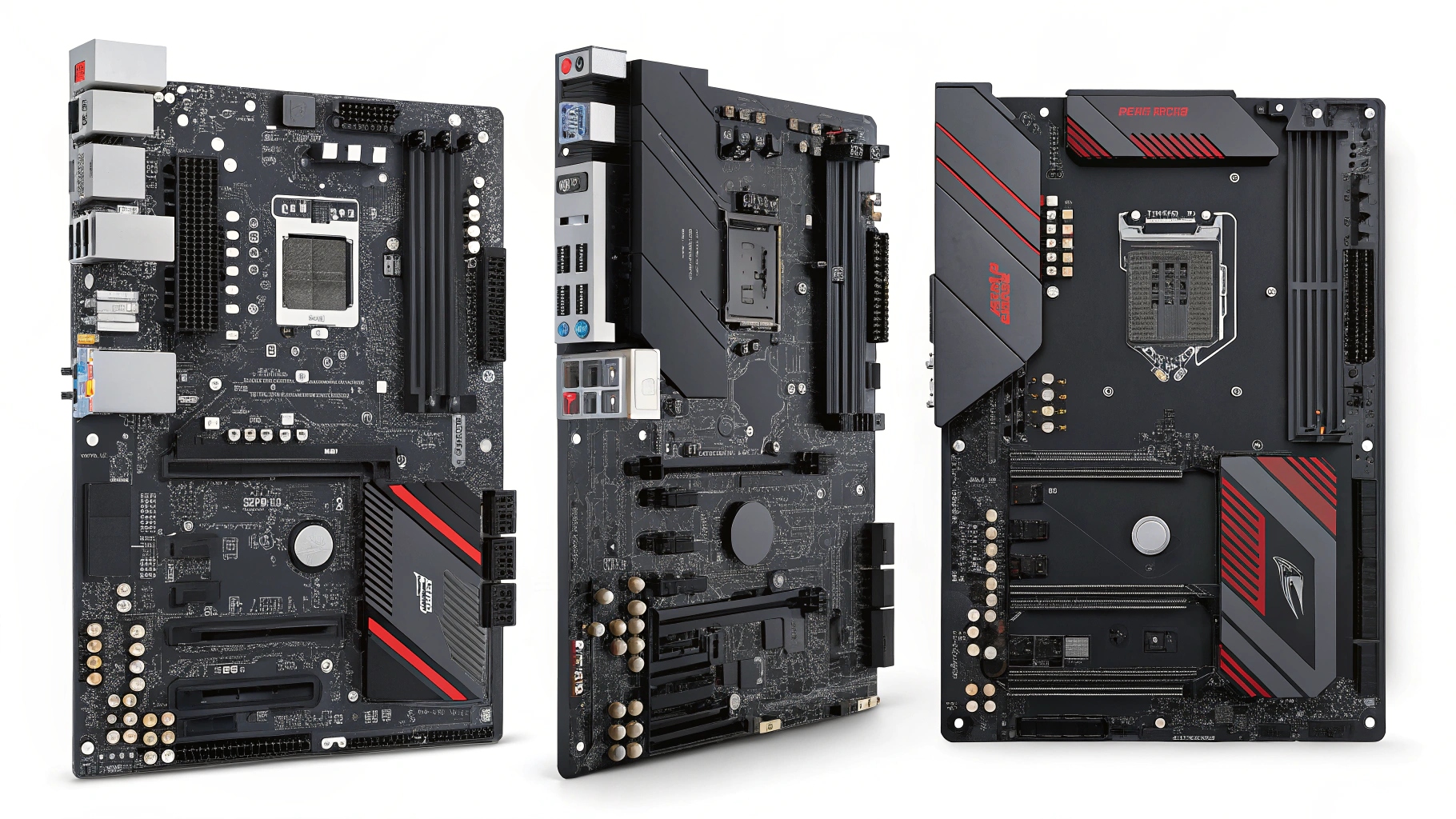
Learn everything you need to know about the ATX form factor motherboard—its features, advantages, and how to choose the best one for your next PC build.
If you’re building a custom PC or upgrading your current system, the ATX form factor motherboard is likely one of your top contenders—and for good reason. As one of the most popular and versatile motherboard formats in the world, ATX strikes the perfect balance between size, expandability, and compatibility.
Whether you’re a gamer, content creator, or enthusiast, choosing the right motherboard is crucial. In this guide, we’ll explore what makes the ATX form factor so widely used, compare it with other form factors, and help you select the best ATX motherboard for your needs.
The ATX form factor, short for Advanced Technology eXtended, was introduced by Intel in 1995. It’s a standardized size and layout for motherboards, designed to improve airflow, expandability, and compatibility with a wide range of components.
- Standard Size: 305 mm × 244 mm (12 in × 9.6 in)
- Up to 7 expansion slots (for GPUs, sound cards, etc.)
- Support for multiple RAM slots (usually 4)
- Larger VRMs for better CPU power delivery
- Multiple SATA and M.2 slots
- Enhanced cooling and power features
ATX motherboards offer more PCIe slots, more RAM capacity, and better support for additional storage and cooling components compared to smaller form factors like micro-ATX or mini-ITX.
With support for multi-GPU setups, overclocking, and high-performance components, ATX is a go-to for gamers and creatives alike.
Most mid-tower and full-tower PC cases are designed with ATX motherboards in mind. You’ll have no trouble finding compatible hardware, power supplies, and accessories.
Because of its larger surface area, an ATX motherboard allows better airflow and more room for advanced cooling solutions, making it ideal for performance-heavy tasks.

| Feature | ATX | Micro-ATX | Mini-ITX |
|---|---|---|---|
| Size | 305 x 244 mm | 244 x 244 mm | 170 x 170 mm |
| Expansion Slots | Up to 7 | Up to 4 | Usually 1 |
| RAM Slots | Up to 4 (or more) | Up to 4 | Typically 2 |
| Ideal For | Gaming, Workstations | Budget Builds, Home PCs | Compact PCs, HTPCs |
| Cooling Potential | High | Moderate | Low |
The ATX form factor motherboard offers the most versatility without the space constraints of smaller boards. If space isn’t an issue, ATX is typically the best choice.
- Gaming PCs – Ideal for high-end graphics cards and fast memory
- Streaming Setups – More USB ports and expansion options
- Creative Workstations – Great for video editing, 3D rendering, and multitasking
- Overclocking and Custom Builds – More robust power delivery systems and BIOS features
Here are some of the top-rated ATX motherboards available now:
- Intel 12th/13th Gen CPU support
- PCIe 5.0 and DDR5 ready
- Advanced VRMs and heatsinks
- Built-in WiFi 6E and 2.5G LAN
- Designed for AMD Ryzen 7000 series
- PCIe 4.0 and DDR5 support
- Great thermal design
- Budget-friendly ATX option
- Premium AMD board with high-end features
- Dual PCIe 5.0 M.2 slots
- Excellent power design and BIOS
Each of these motherboards delivers excellent performance, future-proofing, and connectivity—all within the ATX standard.

Make sure the motherboard supports your Intel or AMD processor. Check socket type (e.g., LGA 1700, AM5) and chipset (e.g., Z790, B650).
Look for motherboards that support DDR5 (for future-ready builds) or DDR4 (for budget-friendliness). Also consider the max supported RAM capacity.
Look for features like:
- USB 3.2 Gen 2×2 or USB-C
- Thunderbolt (for creative workstations)
- WiFi 6/6E and Bluetooth
- 2.5G or 10G LAN ports
Make sure there are enough PCIe slots for your GPU, capture card, or sound card.
Check for VRM heatsinks, fan headers, and M.2 heat shields, especially if you’re building a gaming or overclocking rig.
Absolutely. An ATX form factor motherboard provides plenty of room for GPUs, cooling, and overclocking making it ideal for high-performance gaming builds.
No. It will fit in mid-tower and full-tower cases, but not in mini-tower or small form factor (SFF) cases. Always check case specs before purchasing.
The main advantage is expandability. With more slots, better cooling potential, and a robust feature set, ATX motherboards are ideal for power users and future upgrades.
The Advanced Technology Extended form factor, or ATX, is the name of a specific motherboard and power supply specification that, when it was introduced in 1995, took older designs and created a more uniform, higher performance standard for the industry.
DTX is a shorter version of ATX and micro-ATX, and Mini-DTX is a slightly longer version of Mini-ITX. Mini-ITX can have only one expansion slot, whereas Mini-DTX has the same width and can have two expansion slots.
If you’re looking for flexibility, power, and longevity in your PC build, the ATX form factor motherboard is a clear winner. It’s the gold standard for gamers, creators, and DIY enthusiasts who want a system that can grow and evolve with their needs.
From advanced cooling options to multi-GPU support and high-speed connectivity, ATX motherboards offer the features you need without compromising on space—provided you have the right case.
Fashion Institute of Technology: A Complete Guide to FIT’s Legacy, Education, and Future in 2025
Techysuper: The Ultimate Tech Resource Hub You’ve Been Searching For in 2025
Technoanis: The Ultimate Hub for Technology News, Reviews, and Digital Innovation