 By networkesblog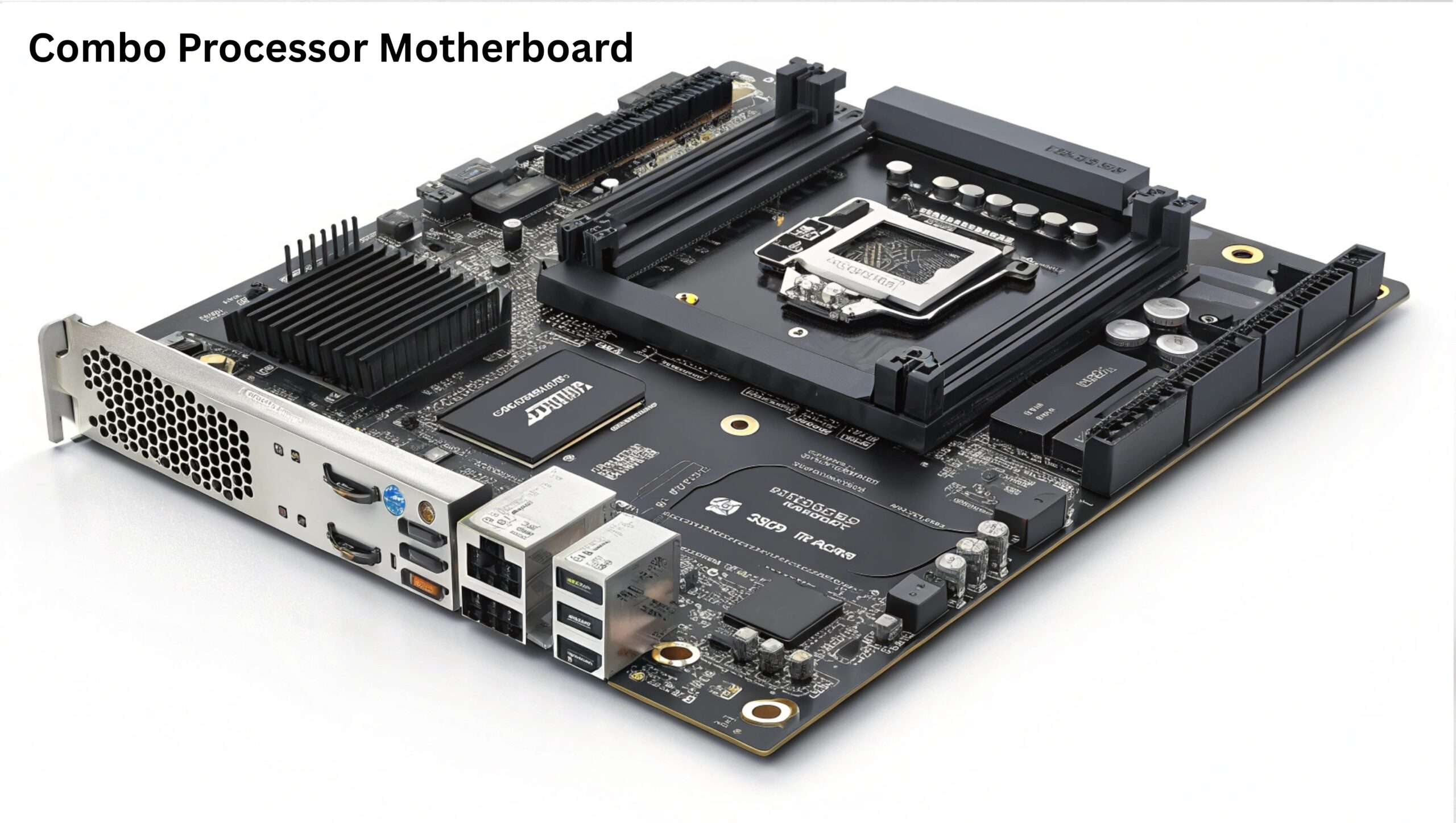
Looking for the best combo processor motherboard for your next build? Learn how bundled CPU and motherboard combos can save money, simplify compatibility, and boost performance.
Discover top Intel and AMD combos for gaming, work, or school. This complete guide helps you choose the right combo with expert tips, buying advice, and FAQs for 2025.
If you’re planning to build a new PC or upgrade your current system, you’ve probably come across the term “combo processor motherboard.” But what does it mean, and why is it one of the most cost-effective and hassle-free ways to get started with PC hardware?
Whether you’re a beginner or a seasoned builder, choosing a combo processor motherboard can save you time, money, and compatibility headaches.
In this guide, you’ll learn:
- What a combo processor motherboard is
- Why buying a combo makes sense
- The best combo deals for Intel and AMD CPUs
- Tips for choosing the right combo for gaming, office work, or creative tasks
- Answers to frequently asked questions
Let’s dive into the world of bundled performance!
A combo processor motherboard refers to a bundled package that includes a CPU (central processing unit) and a compatible motherboard sold together, often at a discounted price.
- Guaranteed compatibility
- Lower cost than buying separately
- Perfect for new PC builds or upgrades
- Reduced decision fatigue for beginners
These combos are widely available for both Intel and AMD platforms and can be found on eCommerce sites like Amazon, Newegg, Micro Center, and AliExpress.

The processor and motherboard are guaranteed to work together, eliminating the need to cross-check socket types, chipset support, and BIOS versions.
Retailers often price combos lower than the sum of individual components. Bundles may also include discounts, free shipping, or promotional accessories like thermal paste or CPU coolers.
No need to research every motherboard spec. This is a plug-and-play option for those who want to get building fast.
Some sellers offer pre-tested or pre-mounted combos, where the CPU is already installed on the board. This reduces installation errors and is ideal for first-time builders.
| Combo | CPU | Motherboard | Ideal For |
|---|---|---|---|
| i5-12400F + B660 | 6-core Alder Lake | Budget gaming, office work | |
| i7-12700K + Z690 | 12-core hybrid | High-performance gaming, productivity | |
| i3-12100 + H610 | Entry-level 4-core | Everyday tasks, budget builds |
| Combo | CPU | Motherboard | Ideal For |
|---|---|---|---|
| Ryzen 5 5600G + B550 | 6-core with iGPU | Budget gaming, no GPU required | |
| Ryzen 7 5800X + X570 | 8-core beast | Content creation, AAA gaming | |
| Ryzen 3 4100 + A520 | Entry-level | Office, schoolwork, light use |
Pro tip: Look for combo deals that include updated BIOS versions, especially when buying newer Ryzen CPUs with older boards.
Ensure the CPU and motherboard have matching sockets:
- Intel: LGA 1700 (12th/13th Gen), LGA 1200 (10th/11th Gen)
- AMD: AM4 (Ryzen 1000–5000 series), AM5 (Ryzen 7000 series)
Chipsets determine support for:
- PCIe Gen 4/5
- Overclocking
- USB/Thunderbolt ports
- RAM speed and expansion
Choose a board with enough headroom:
- 4 RAM slots instead of 2
- Extra M.2 slots for SSDs
- BIOS update support for next-gen CPUs
Make sure the motherboard form factor (ATX, Micro-ATX, Mini-ITX) fits your PC case.
Check if the combo includes:
- CPU cooler
- Backplate/IO shield
- Wi-Fi/Bluetooth onboard

For gamers, CPU performance and motherboard features like VRM cooling, PCIe 4.0, and support for high-speed RAM are crucial.
- Intel Core i5-13400F + B760 – Great 1080p/1440p gaming value
- Ryzen 5 7600 + B650 – Excellent AM5 platform entry with future support
- Intel Core i7-13700K + Z790 – High-end gaming and streaming
- Ryzen 7 5800X3D + B550 – Known for exceptional gaming performance
If you’re building a gaming PC, prioritize higher core/thread CPUs, fast RAM compatibility, and multiple PCIe slots for GPUs and storage.
For office use, school tasks, and light content creation, you don’t need the latest or most powerful hardware. A good combo will still serve for years.
- Intel Core i3-13100 + H610 – Low power, efficient, and reliable
- Ryzen 5 5600G + B550 – Built-in graphics + 6 cores = perfect all-rounder
- Pentium Gold G7400 + H610 – Budget-friendly for basic needs
- Ignoring BIOS requirements – Older motherboards may not boot with newer CPUs without an update.
- Underpowering your combo – Don’t pair a high-end CPU with a cheap board with weak VRMs.
- Buying without checking RAM compatibility – Not all boards support high-speed DDR5 or dual-channel DDR4.
- Assuming all combos are new – Some budget bundles include refurbished or used components.
- Amazon – Great for convenience and reviews
- Newegg – Known for regular combo deals and bundles
- Micro Center – Best in-store discounts for CPU/mobo combos (USA)
- AliExpress – Popular for budget and refurbished combos (check seller ratings)
Yes if the components are quality-matched and suit your needs. Combos can save money and eliminate compatibility issues.
Yes, as long as the motherboard supports future CPUs or BIOS updates allow newer chips.
Some deals include RAM, but most combos include only the CPU and motherboard. Always read the product description carefully.
Not always. While many budget combos exist, premium CPU + high-end board bundles are also common for enthusiasts.
If you’re experienced and want full control over each part, yes. But for speed, convenience, and guaranteed compatibility, combos are ideal.
If you’re building or upgrading a PC in 2024–2025, going with a combo processor motherboard is:
- Cost-effective
- Easy for beginners
- Efficient for fast builds
- Often pre-tested for reliability
Whether you’re gaming, editing, or just browsing the web, a well-chosen CPU and motherboard combo can be the foundation of a reliable and powerful system.
Motherboard with Two AMD5 CPU Slots: What You Need to Know in 2025
B75 Motherboard Supported CPU: Everything You Need to Know Before You Upgrade
Can Motherboards Support Any NVMe SSD? The Ultimate Compatibility Guide