 By networkesblog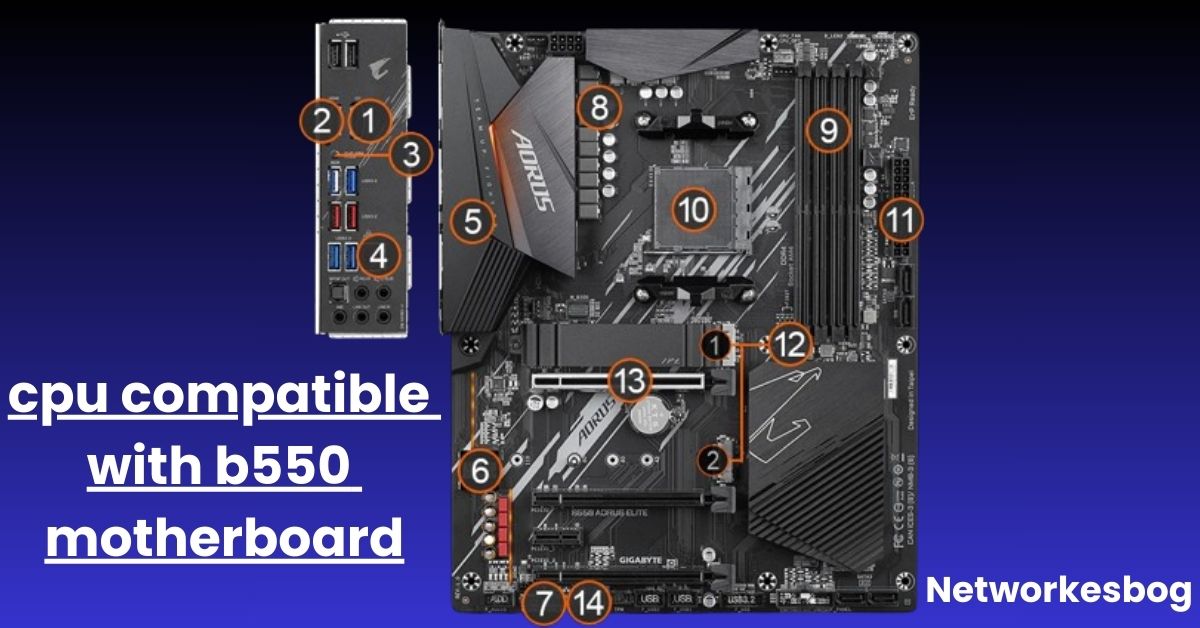
When building a PC, choosing the right CPU and motherboard combo is crucial for performance, stability, and future upgrade potential. If you’ve selected a B550 motherboard, you’re already off to a strong start. The AMD B550 chipset sits in the sweet spot between entry-level B450 boards and high-end X570 chipsets — but not all CPUs are compatible with it.
In this comprehensive guide, we’ll walk you through which CPUs are compatible with B550 motherboards, which ones aren’t, and how to get the best performance out of your build.
The AMD B550 motherboard is based on the AM4 socket and is part of AMD’s 500-series chipset lineup, released in mid-2020. It offers modern features and great value, making it a popular choice among gamers, content creators, and everyday users.
- AM4 socket (same as B450 and X570)
- Support for Ryzen 3000 (Matisse), 4000G (Renoir, some models), and 5000 (Vermeer) series
- PCIe 4.0 support for faster NVMe SSDs and graphics cards (when paired with Ryzen 3000/5000 CPUs)
- USB 3.2 Gen2 support
- Memory overclocking support
- Enhanced VRM designs compared to B450 for better CPU stability and power delivery.

Let’s break down which CPUs you can use with a B550 board and which ones you can’t.
These CPUs are 100% compatible with B550 motherboards. They offer the best performance and are ideal for high-end gaming, streaming, video editing, and multi-threaded workloads.
Examples:
- Ryzen 5 5600, 5600X
- Ryzen 7 5700X, 5800X, 5800X3D
- Ryzen 9 5900X, 5950X
- Native support for PCIe 4.0.
- Improved instructions per cycle (IPC).
- Better power efficiency and thermal performance.
- Great for both gaming and productivity.
Note: Some motherboards may require a BIOS update to support 5000 series CPUs, especially if the board was manufactured before late 2020.
B550 boards were originally launched to support Ryzen 3000 CPUs. These CPUs still offer excellent value, especially for mid-tier and budget builds.
Examples:
- Ryzen 5 3600, 3600X, 3600XT
- Ryzen 7 3700X, 3800X, 3800XT
- Ryzen 9 3900X, 3950X
Benefits:
- Great multi-core performance.
- Still capable of gaming at 1440p and light 4K.
- PCIe 4.0 support (on CPU lanes).
- Affordable on the used market in 2025.
Important Exception:
Ryzen 3200G and 3400G (APUs) are not compatible because they are based on older 12nm Zen+ architecture.
These processors were primarily OEM-only but are now available in retail and offer integrated graphics — ideal for builds without a GPU.
Examples:
- Ryzen 3 4300G
- Ryzen 5 4600G
- Ryzen 7 4700G
Important Notes:
- Compatibility depends on BIOS version.
- Some B550 motherboards may not have support for these APUs out of the box.
- These APUs use Vega graphics, which are fine for light gaming, media playback, and office use.
Always check your specific motherboard’s CPU support list to confirm compatibility with Ryzen 4000G.
Not every AM4 CPU works with B550. Here’s what won’t work:
| CPU Series | Reason |
|---|---|
| Ryzen 1000 Series (Zen) | Architecture not supported |
| Ryzen 2000 Series (Zen+) | Not compatible except for APUs in some rare cases |
| Ryzen 3000G Series (Zen+) | 3200G, 3400G use older architecture |
| Athlon 200GE / 3000G | Not supported due to chip limitations |
Tip: Don’t assume compatibility just because the CPU fits the AM4 socket — BIOS and chipset support matter!
- Check the socket: B550 uses AM4; so do Ryzen 3000, 4000G, and 5000 CPUs.
- Check the chipset support: B550 only supports Ryzen CPUs from the Zen 2 and Zen 3 generations.
- Update your BIOS: For newer CPUs like the Ryzen 5000 series, a BIOS update may be required.
- Consult the motherboard manufacturer’s CPU support list: This will tell you which CPUs work with your board and what BIOS version is required.
| Use Case | Recommended CPU | Key Benefits |
|---|---|---|
| Budget Build | Ryzen 5 5600 | Great value, 6 cores, PCIe 4.0 |
| Gaming & Streaming | Ryzen 5 5600X or 5800X3D | High FPS, excellent latency |
| Content Creation | Ryzen 9 5900X | 12 cores, top-tier multitasking |
| No-GPU Build | Ryzen 5 4600G | Integrated graphics, great for office use |
- Pair with fast RAM (3200 MHz or higher) for optimal Ryzen performance.
- Enable XMP/DOCP in BIOS to unlock full memory speed.
- Use an NVMe SSD to take full advantage of PCIe 4.0 if your CPU supports it.
- Choose a quality PSU if you’re using high-core CPUs like Ryzen 9.
Yes, B550 fully supports Ryzen 5000 CPUs, often requiring a BIOS update.
Yes, but only when paired with Ryzen 3000 (except 3200G/3400G) or 5000 series CPUs.
No, the Ryzen 3200G and 3400G are not supported on B550 boards.
Yes, a BIOS update may be needed depending on your motherboard’s manufacturing date.
Yes, but only with Ryzen APUs like the 4000G or 5000G series that have integrated graphics.
The B550 motherboard offers fantastic value and future-proofing, making it a top choice for AMD builders in 2025. Its support for Ryzen 3000, 4000G (some models), and 5000 series CPUs gives users plenty of flexibility — from budget builds to high-end gaming rigs.
Just remember:
- Not all AM4 CPUs are compatible
- BIOS updates may be required
- Always check the manufacturer’s CPU support page
By choosing the right CPU for your B550 motherboard, you can build a powerful, efficient, and reliable PC tailored to your exact needs.
How to Connect Long RGB Strips to Motherboard: The Complete Extended Guide
Power Button on the ASRock X870E Nova Motherboard
How Many USB Ports Does My Motherboard Have