 By networkesblog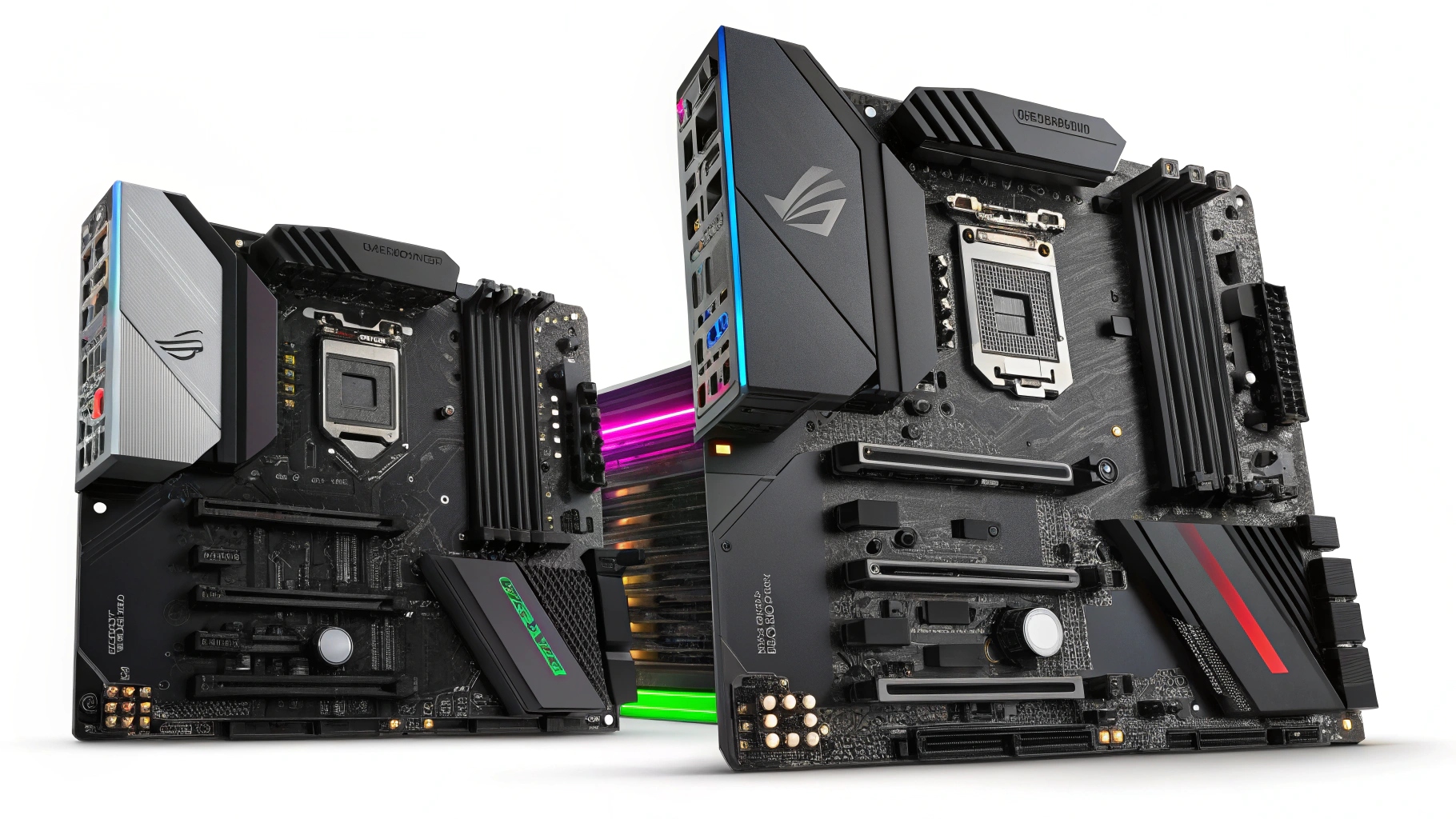
When building the ultimate gaming PC, many enthusiasts focus on graphics cards, CPUs, and RAM—but the motherboard is just as crucial. It’s the backbone that connects all your components and ensures your system runs efficiently and reliably. If you’re searching for the most recommended motherboard for gaming, you’ve come to the right place.
In this in-depth guide, we’ll explore everything you need to know about gaming motherboards, from essential features and compatibility to the top-performing options in 2025—categorized by budget, platform (Intel or AMD), and performance needs.
A gaming motherboard does more than just hold your components—it enables speed, performance, customization, and future upgrades. Whether you’re aiming for 60FPS in eSports titles or 4K immersive gaming, the motherboard plays a critical role.
Here’s why selecting a recommended motherboard for gaming is so important:
- Enables overclocking for extra performance
- Offers high-speed RAM and storage support
- Includes gaming-specific features like RGB lighting and enhanced cooling
- Determines CPU and GPU compatibility
- Future-proofs your build with new tech (like DDR5, PCIe 5.0, USB 4.0)

When evaluating a motherboard for gaming, keep an eye on these core factors:
Make sure the motherboard supports your chosen processor. Intel 14th-gen CPUs use chipsets like Z790 and B760, while AMD Ryzen 7000+ CPUs are compatible with X670E, B650, and A620.
Choose based on your case size and expansion needs:
- ATX: Standard size, best for gaming rigs.
- Micro-ATX (mATX): Compact and affordable.
- Mini-ITX: Smallest form factor, great for portable builds.
Modern gaming motherboards support:
- DDR4 (still common in budget/mid-range boards)
- DDR5 (faster and future-ready)
Make sure the board supports at least 32GB of RAM for modern games.
- PCIe 4.0 or 5.0 for latest GPUs and SSDs
- Multiple M.2 NVMe slots for fast storage
- USB 3.2 Gen 2, Type-C, and possibly USB4
- Wi-Fi 6/6E or 7 for wireless gaming
High-quality VRMs (Voltage Regulator Modules) ensure power stability, especially during overclocking. Look for robust heatsinks and active cooling options.
Below are the top-performing and most recommended motherboards for gaming this year, sorted by platform and use case.
| Motherboard | Best For | Chipset | RAM Support | Key Features |
|---|---|---|---|---|
| ASUS ROG Strix Z790-E Gaming WiFi II | High-end Intel builds | Z790 | DDR5 | PCIe 5.0, USB 4, AI Overclocking, RGB Sync |
| Gigabyte Z790 AORUS Elite AX | Performance on a budget | Z790 | DDR5 | Dual M.2, PCIe 5.0, Wi-Fi 6E |
| ASUS TUF Gaming B760-Plus WiFi D4 | Budget gaming builds | B760 | DDR4 | Great VRMs, Wi-Fi 6, affordable |
| Motherboard | Best For | Chipset | RAM Support | Key Features |
|---|---|---|---|---|
| MSI MEG X670E ACE | Flagship AMD builds | X670E | DDR5 | PCIe 5.0, Extended Heatsinks, 10G LAN |
| MSI B650 Tomahawk WiFi | Mid-range gamers | B650 | DDR5 | Great VRM, Gen 4 SSD support, strong build |
| ASRock B550 Steel Legend | Budget-friendly Ryzen builds | B550 | DDR4 | PCIe 4.0 GPU & SSD support, RGB headers |

Recommended: ASUS ROG Strix Z790-E or MSI B650 Tomahawk
Why? Low-latency networking, strong VRMs for consistent performance, and high RAM speeds.
Recommended: MSI MEG X670E ACE or Gigabyte Z790 AORUS Elite
Why? Full PCIe 5.0 support for GPUs and SSDs, multiple NVMe slots, and future-ready I/O.
Recommended: ASRock B550 Steel Legend or TUF B760-Plus D4
Why? Reliable gaming experience without overspending. Still supports decent CPUs and GPUs.
If you plan to keep your gaming PC for 3–5 years, yes. DDR5 memory offers faster bandwidth and future software optimization. PCIe 5.0 ensures compatibility with the next-gen GPUs and SSDs for ultra-fast load times and seamless gameplay.
Match the board with your CPU model – Always double-check socket compatibility
Don’t overspend on unnecessary features – Only get Wi-Fi or RGB if you’ll use it
Read BIOS update logs – Especially with newer CPUs
Look for user reviews and benchmarks – Stability and BIOS support matter a lot
Check upgrade paths – Opt for newer chipsets that support next-gen CPUs and RAM
The ASUS ROG Strix Z790-E Gaming WiFi II is currently one of the top recommended motherboards for gaming due to its performance, features, and future-proof design.
Both platforms are excellent. Intel leads in high FPS scenarios (especially with 14th-gen CPUs), while AMD offers better value and power efficiency with Ryzen 7000+ chips.
Entry-level: $100–$150
Mid-range: $150–$250
High-end/Enthusiast: $300+
Absolutely. Most gaming motherboards handle multitasking, streaming, and content creation with ease—especially those with strong VRMs and fast connectivity.
ASUS is the number one manufacturer of motherboards in the world, commanding almost a 40% market share of the motherboard business.
Choosing a recommended motherboard for gaming isn’t just about compatibility—it’s about building a solid foundation for speed, performance, and long-term enjoyment. Whether you’re diving into esports, exploring massive open-world titles, or streaming your gameplay, the right motherboard will elevate every part of your PC gaming experience.
Invest wisely, think long-term, and pick the board that suits your goals and budget. If you’re serious about gaming in 2025, the right motherboard is your first win.
MicroCenter Motherboard Bundles: The Ultimate Guide for PC Builders in 2025
MicroCenter Motherboard Bundles: The Ultimate Guide for PC Builders in 2025
Everything You Need to Know About the TUF Gaming Motherboard: Durable, Reliable & Built to Win